Terminal.Gui - Cross Platform Terminal UI Toolkit for .NET
Terminal.Gui
Cross-platform UI toolkit for building sophisticated terminal UI (TUI) applications on Windows, macOS, and Linux/Unix.
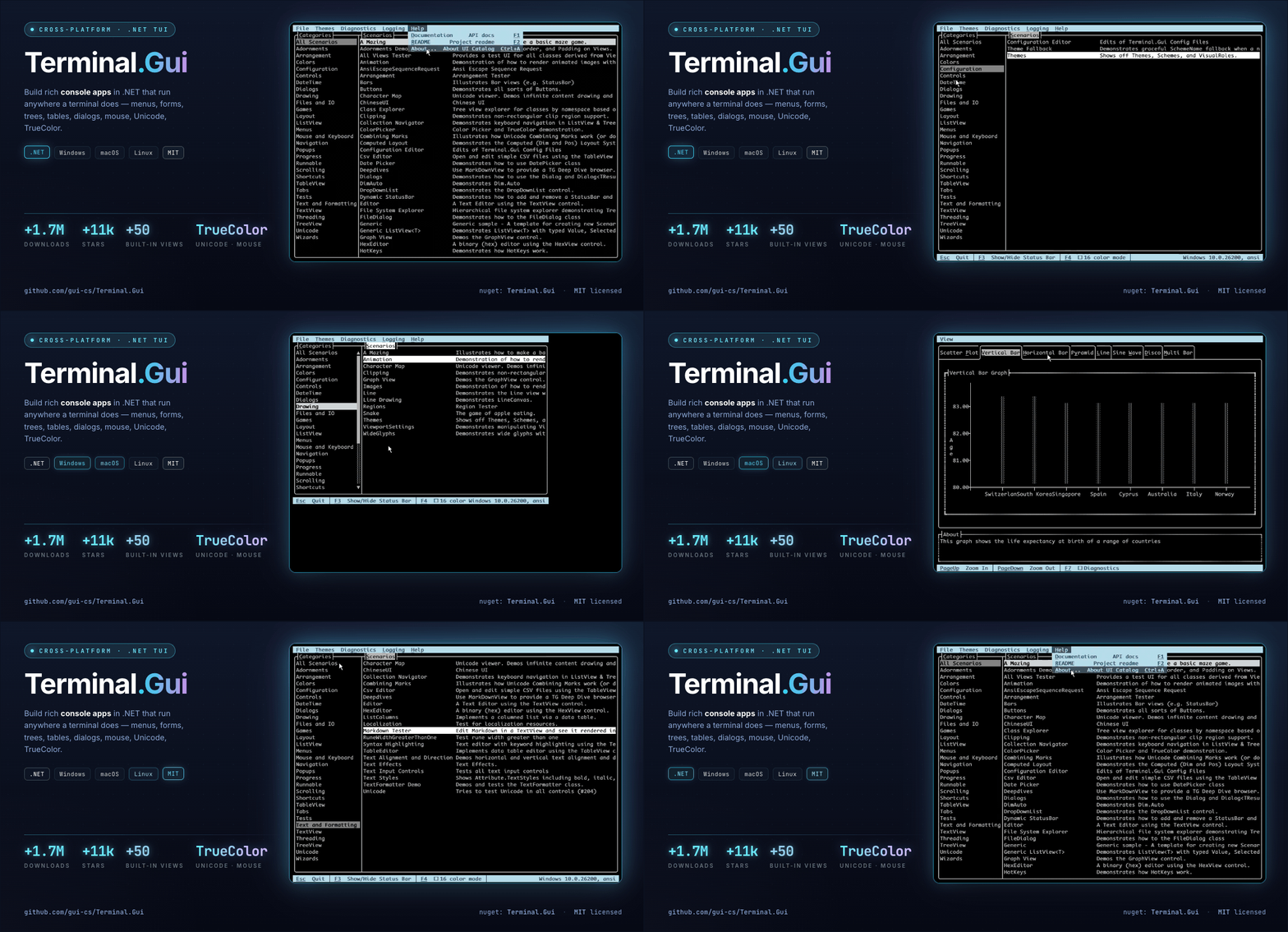
Version 2.0 Has Been Released
Terminal.Gui enables building sophisticated console applications with modern UIs:
- Responsive TUI - Easy to use, innovative, layout system enables console apps as responsive as any responsive web page.
- Performant and Scalable - Built for modern TUIs - fast, double-buffering-based rendering; Tables and Tree Views scale to infinite elements with sorting and filtering.
- Keyboard First; Mouse First Too - Optimized for TUI experiences where the user's hands never need to leave the keyboard; full mouse support too.
- Rich Built-in Widgets (Views) - Text editors, buttons, checkboxes, trees, tables, markdown, linear ranges, menus, selectors, and more.
- Visualizations - Charts, graphs, progress indicators, and color pickers with TrueColor support.
- Text Editors - Full-featured text editing with clipboard, undo/redo, and Unicode support
- Fully Configurable - Themes, colors, key bindings, and settings are all customizable and persistable.
- File Management - File and directory browsers with search and filtering, supporting Nerdfonts and coloring.
- Wizards and Multi-Step Processes - Guided workflows with navigation and validation.
- Cross-Platform - Consistent experience on Windows, macOS, and Linux.
- Apps Work In-line or Full Screen - Build CLI tools like Claude Code/Copilot/Codex CLI that scroll with the terminal (in-line) or full screen.
See the Views Overview for available controls and What's New in v2 for architectural improvements.
Quick Start
Install the Terminal.Gui.Templates, create a new TUI app, and run it:
dotnet new install Terminal.Gui.Templates
dotnet new tui-simple -n myproj
cd myproj
dotnet run
Simple Example
using Terminal.Gui.App;
using Terminal.Gui.ViewBase;
using Terminal.Gui.Views;

using IApplication app = Application.Create ();
app.Init ();

using Window window = new () { Title = "Hello World (Esc to quit)" };
Label label = new ()
{
    Text = "Hello, Terminal.Gui v2!",
    X = Pos.Center (),
    Y = Pos.Center ()
};
window.Add (label);

app.Run (window);
See the Examples directory for more.
Documentation
Comprehensive documentation is at gui-cs.github.io/Terminal.Gui.
Getting Started
- Getting Started Guide - First Terminal.Gui application
- API Reference - Complete API documentation
- What's New in v2 - New features and improvements
Migration & Deep Dives
- Migrating from v1 to v2 - Complete migration guide
- Application Architecture - Instance-based model and IRunnable pattern
- Layout System - Positioning, sizing, and adornments
- Keyboard Handling - Key bindings and commands
- View Documentation - View hierarchy and lifecycle
- Configuration - Themes and persistent settings
See the documentation index for all topics.
Contributing
Contributions welcome! See CONTRIBUTING.md.
History
See gui-cs for project history and origins.