Class MenuBar
A horizontal Menu that contains MenuBarItem items. Each MenuBarItem owns a PopoverMenu that is displayed as a drop-down when the item is selected. Typically placed at the top of a window or view.
public class MenuBar : Menu, IDisposable, ISupportInitializeNotification, ISupportInitialize, IOrientation, IValue<MenuItem?>, IValue, IDesignable- Inheritance
-
MenuBar
- Implements
- Derived
- Inherited Members
- Extension Methods
Remarks
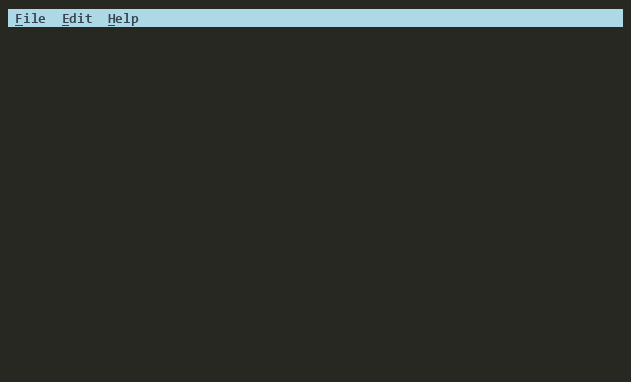
MenuBar extends Menu with horizontal orientation and specializes it for
MenuBarItem items. By default, it is positioned at Y = 0 with
Width = Dim.Fill()(), spanning the full width of its
SuperView.
Activation: The Key property (default: F10, configurable via DefaultKey) activates the MenuBar. When activated, the first MenuBarItem with a PopoverMenu is opened. Use Active to get or set whether the MenuBar is in its active state. When Active changes, it drives CanFocus and hides any open PopoverMenus on deactivation.
Popover Browsing: While a PopoverMenu is open, moving between MenuBarItems (via arrow keys, mouse hover, or HotKeys) automatically switches the visible popover to the newly focused item. Use IsOpen() to determine if any PopoverMenu is currently visible.
Command Dispatch: Uses the consume-dispatch pattern (ConsumeDispatch = true,
GetDispatchTarget => Focused), meaning the MenuBar owns activation state
for its MenuBarItems. Registers custom command handlers for
HotKey, Command.Quit, Command.Right, and Command.Left.
Navigation: The Left and Right arrow keys move focus between
MenuBarItems. GetDefaultKey(Command) and Key close any open
popover and deactivate the MenuBar.
See Shortcut Deep Dive for details on the Shortcut base class and command routing patterns.
See Menus Deep Dive for the full menu system architecture, class hierarchy, command routing, and usage examples.
Default key bindings:
| Key | Action |
|---|---|
| F10 (configurable via DefaultKey) | Activates/deactivates the menu bar. |
| Left / Right | Moves between menu bar items. |
| Escape, GetDefaultKey(Command) | Closes any open popover and deactivates the menu bar. |
Constructors
Properties
- Active
Gets or sets whether the menu bar is active or not. When active, the MenuBar can focus and moving the mouse over a MenuBarItem will switch focus to that item. Use IsOpen() to determine if a PopoverMenu of a MenuBarItem is open.
- ConsumeDispatch
If true, dispatching to the target consumes the command, preventing the original SubView from completing its own activation/acceptance. If false (default), the dispatch is a relay and the original SubView completes normally.
- DefaultBorderStyle
Gets or sets the default Border Style for the MenuBar. The default is None.
- DefaultKey
The default key for activating menu bars.
- DefaultKeyBindings
Gets or sets the default key bindings for MenuBar. All standard navigation bindings are inherited from DefaultKeyBindings, so this dictionary is empty by default. Dynamic bindings (activation key, quit key) are bound directly in the constructor.
IMPORTANT: This is a process-wide static property. Change with care. Do not set in parallelizable unit tests.
- Key
Specifies the key that will activate the MenuBar. The default is F10 and can be configured using the DefaultKey configuraiton property.
- Menus
Sets the Menu Bar Items for this Menu Bar. This will replace any existing Menu Bar Items.
Methods
- Dispose(bool)
Performs application-defined tasks associated with freeing, releasing, or resetting unmanaged resources.
- EnableForDesign<TContext>(ref TContext)
Causes the View to enable design-time mode. This typically means that the view will load demo data and be configured to allow for design-time manipulation.
- EndInit()
Signals the View that initialization is ending. See ISupportInitialize.
- GetDispatchTarget(ICommandContext?)
Gets the SubView to dispatch commands to. Return null to skip dispatch. The framework calls this during RaiseActivating(ICommandContext?)/RaiseAccepting(ICommandContext?) after the
OnActivatingvirtual andOnAcceptingevent have had a chance to cancel.
- GetMenuItemsWith(Func<MenuItem, bool>)
Gets all MenuItems in the menu hierarchy that match
predicate.
- HideActiveItem()
Hides the popover menu associated with the active menu bar item and updates the focus state.
- HideItem(IMenuBarEntry?)
Hides the menu associated with the specified menu bar entry and updates the focus state.
- IsOpen()
Gets whether any of the menu bar entries have a visible menu.
- OnActivated(ICommandContext?)
Called when the View has been activated. This is called after Accepting has been raised and not cancelled.
- OnActivating(CommandEventArgs)
Called when the user has performed an action (e.g. Activate) causing the View to change state or preparing it for interaction. Set CommandEventArgs.Handled to true and return true to indicate the event was handled and processing should stop.
- OnHasFocusChanged(bool, View?, View?)
Invoked after HasFocus has changed. This method is called before the HasFocusChanged event is raised.
- OnMouseEnter(CancelEventArgs)
Called when the mouse moves over the View's Frame and no other non-SubView occludes it. MouseLeave will be raised when the mouse is no longer over the Frame.
- OnMouseLeave()
Called when the mouse moves outside View's Frame, or is occluded by another non-SubView.
- OnSelectedMenuItemChanged(MenuItem?)
Called when the selected menu item has changed. Handles hiding peer SubMenus and showing the selected item's SubMenu.
- OnSubViewAdded(View)
Called when a SubView has been added to this View.
- OnSubViewRemoved(View)
Called when a SubView has been removed from this View.
- OnSuperViewChanged(ValueChangedEventArgs<View?>)
Called when the SuperView of this View has changed.
Events
- KeyChanged
Raised when Key is changed.