Class Bar
A container for Shortcut items that arranges them horizontally or vertically. Serves as the base class for Menu, MenuBar, and StatusBar.
public class Bar : View, IDisposable, ISupportInitializeNotification, ISupportInitialize, IOrientation, IDesignable- Inheritance
-
Bar
- Implements
- Derived
- Inherited Members
- Extension Methods
Remarks
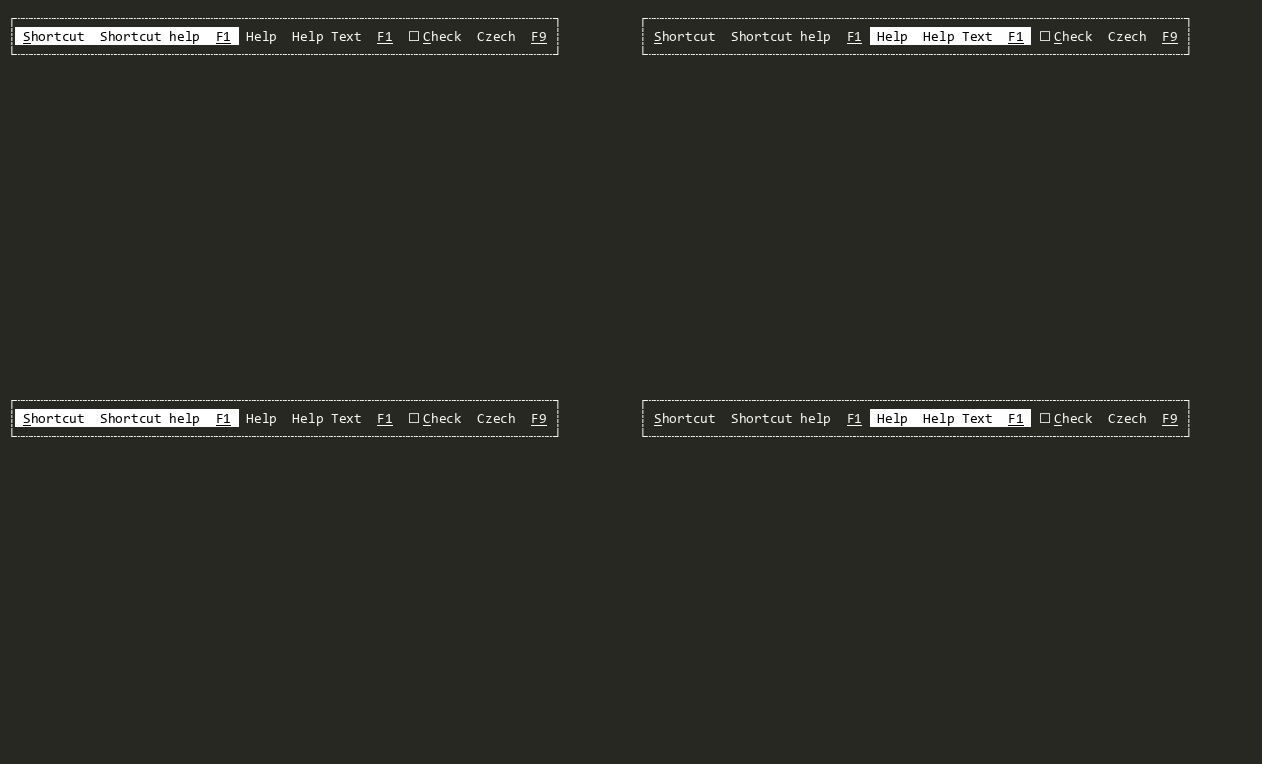
Any View can be added to a Bar. However, Bar is designed to work with Shortcut objects, which display a command, help text, and key binding aligned in a consistent order.
Orientation: The Orientation property controls the layout direction. In Horizontal mode, items are arranged left-to-right. In Vertical mode, items are stacked top-to-bottom and the MinimumKeyTextSize of each item is aligned to the widest key text across all items.
Auto-Sizing: Bar defaults to Dim.Auto(DimAutoStyle, Dim?, Dim?)() for both Width and Height, sizing itself based on its content.
Command Propagation: Sets CommandsToBubbleUp to [Accept, Activate], enabling commands from Shortcut items to bubble up through the Bar to parent views.
Separators: Line views can be added between Shortcut items to create visual separators. Lines are automatically oriented to match the Bar's Orientation.
Mouse Wheel: Mouse wheel events advance focus between items, enabling scrolling through items in the Bar.
Alignment: The AlignmentModes property controls how items are aligned within the Bar. The default is StartToEnd.
See Shortcut Deep Dive for details on the Shortcut items contained by Bar.
See Menus Deep Dive for how Bar fits into the menu system class hierarchy as the base of Menu and MenuBar.
Constructors
Properties
- AlignmentModes
Gets or sets the AlignmentModes for this Bar. The default is StartToEnd.
- Orientation
Gets or sets the Orientation for this Bar. The default is Horizontal.
Methods
- EnableForDesign()
Causes the View to enable design-time mode. This typically means that the view will load demo data and be configured to allow for design-time manipulation.
- GetDemoKeyStrokes()
Returns a tuirec-format keystroke string for recording a demo GIF of this view. The string uses tuirec token syntax (e.g.
"wait:500,Enter,wait:800,Escape"). This is a new API added in v2 to support automated documentation generation.
- OnOrientationChanged(Orientation)
Called when Orientation has changed.
- OnSubViewLayout(LayoutEventArgs)
Called from Terminal.Gui.ViewBase.View.LayoutSubViews before any subviews have been laid out.
Events
- OrientationChanged
Raised when Orientation has changed.
- OrientationChanging
Raised when Orientation is changing. Can be cancelled.