Class Wizard
A multi-step dialog for collecting related data across sequential steps.
public class Wizard : Dialog, IDisposable, ISupportInitializeNotification, ISupportInitialize, IRunnable<int>, IRunnable, IDesignable- Inheritance
-
Wizard
- Implements
- Inherited Members
- Extension Methods
Examples
using Terminal.Gui;

using IApplication app = Application.Create ();
app.Init ();

using Wizard wiz = new () { Title = "Setup Wizard" };

// Add first step
WizardStep firstStep = new () { Title = "License Agreement" };
firstStep.NextButtonText = "Accept!";
firstStep.HelpText = "End User License Agreement text.";
wiz.AddStep (firstStep);

// Add second step
WizardStep secondStep = new () { Title = "User Info" };
secondStep.HelpText = "Enter your information.";
TextField name = new () { X = 0, Width = 20 };
secondStep.Add (new Label { Text = "Name:" }, name);
wiz.AddStep (secondStep);

wiz.Accepting += (_, e) =>
{
    MessageBox.Query ("Complete", $"Name: {name.Text}", "Ok");
    e.Handled = true;
};

app.Run (wiz);
Remarks
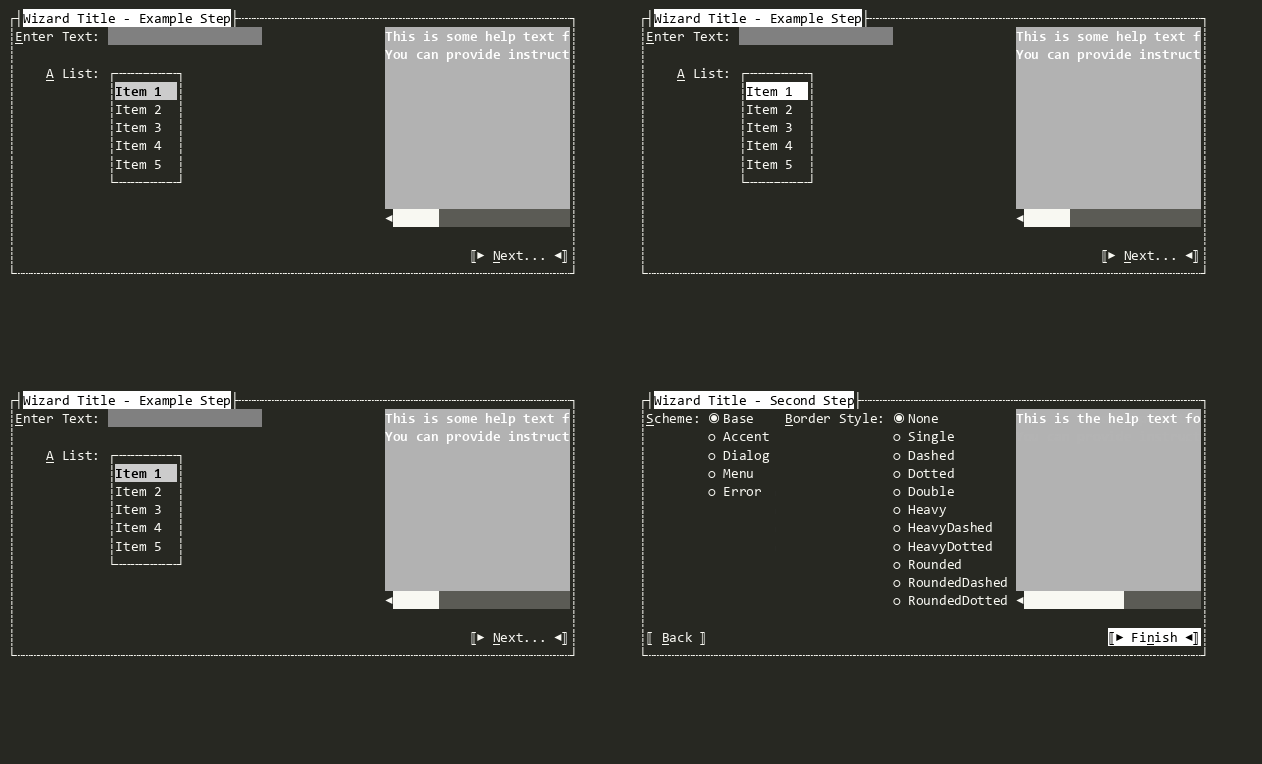
Each WizardStep can host arbitrary Views and display help text. Navigation buttons (Back/Next/Finish) are automatically managed.
Can be displayed as a modal dialog or embedded view. When modal, completing the wizard raises Accepting and sets Result.
Constructors
Properties
- BackButton
The Back button. Navigates to the previous step.
- CurrentStep
Gets or sets the currently displayed step.
- NextFinishButton
The Next/Finish button. Advances to the next step or completes the wizard.
Methods
- AddStep(WizardStep)
Adds a step to the wizard.
- EndInit()
Signals the View that initialization is ending. See ISupportInitialize.
- GetFirstStep()
Gets the first enabled step in the wizard.
- GetLastStep()
Gets the last enabled step in the wizard.
- GetNextStep()
Gets the next enabled step after CurrentStep.
- GetPreviousStep()
Gets the previous enabled step before CurrentStep.
- GoBack()
Navigates to the previous enabled step.
- GoNext()
Navigates to the next enabled step.
- GoToStep(WizardStep?)
Navigates to the specified step.
- OnAccepting(CommandEventArgs)
Called when the user is accepting the state of the View and the Accept has been invoked. Set CommandEventArgs.Handled to true and return true to indicate the event was handled and processing should stop.
- OnStepChanged(ValueChangedEventArgs<WizardStep?>)
Called after CurrentStep changes. Override to respond to step transitions.
- OnStepChanging(ValueChangingEventArgs<WizardStep?>)
Called before CurrentStep changes. Override to add custom validation.
- OnTitleChanged()
Called when the Title has been changed. Invokes the TitleChanged event.
Events
- MovingBack
Raised when the Back button is pressed. Set
Cancelto prevent navigation.
- MovingNext
Raised when the Next button is pressed on a non-final step. Set
Cancelto prevent navigation.
- StepChanged
Raised after CurrentStep changes.
- StepChanging
Raised before CurrentStep changes. Set
Handledto cancel navigation.