Class Dialog
A modal dialog window with buttons across the bottom. When a button is pressed, Result is set to the button's index (0-based).
public class Dialog : Dialog<int>, IDisposable, ISupportInitializeNotification, ISupportInitialize, IRunnable<int>, IRunnable, IDesignable- Inheritance
-
Dialog
- Implements
- Derived
- Inherited Members
- Extension Methods
Examples
Dialog dialog = new () { Title = "Confirm" };

dialog.AddButton (new () { Title = "_Cancel" });
dialog.AddButton (new () { Title = "_Ok" });

Label label = new () { Text = "Are you sure?" };
dialog.Add (label);

Application.Run (dialog);

if (dialog.Result == 1) // OK button (second button, index 1)
{
    // User clicked OK
}
Remarks
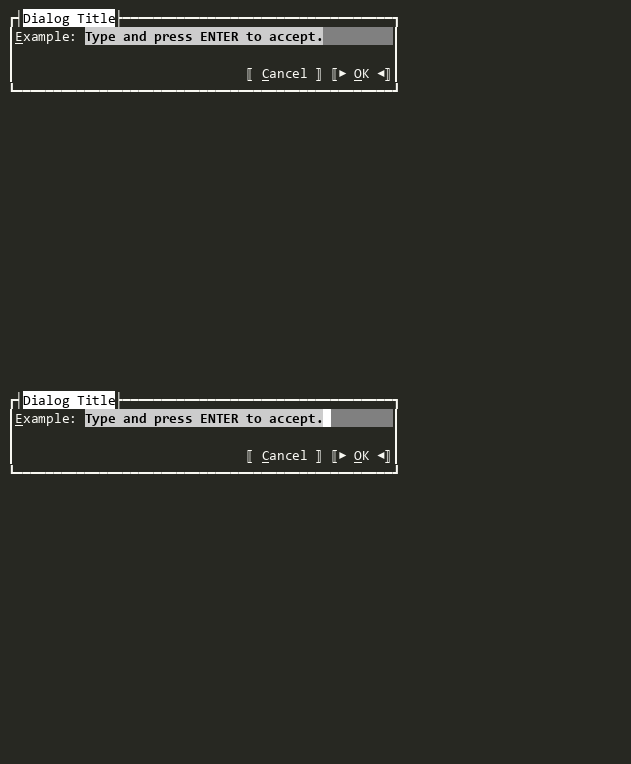
This is the standard dialog class for simple button-index-based results. For dialogs that need to return custom result types, derive from Dialog<TResult> instead.
By default, Dialog is centered with Auto(DimAutoStyle, Dim?, Dim?) sizing and uses the Dialog color scheme (applied at construction time, regardless of running state).
To run modally, pass the dialog to Run(IRunnable, Func<Exception, bool>?). The dialog executes until terminated by GetDefaultKey(Command) (Esc by default), a press of one of the Buttons, or if any subview receives the Accept command and does not handle it.
Buttons are added via AddButton(Button) or the Buttons property. The last button added becomes the default (IsDefault). Button alignment is controlled by ButtonAlignment and ButtonAlignmentModes.
The dialog is positioned at Center() with Auto(DimAutoStyle, Dim?, Dim?) sizing, limited to 100% of TopRunnableView (or screen dimensions).
NOTE - Setting ViewportSettings to HasHorizontalScrollBar or HasVerticalScrollBar is not supported and may cause layout issues.
Constructors
Properties
- DefaultBorderStyle
The default border style for new Dialog instances. Can be configured via ConfigurationManager and theme files.
- DefaultButtonAlignment
The default button alignment for new Dialog instances. Can be configured via theme files.
- DefaultButtonAlignmentModes
The default button alignment modes for new Dialog instances. Can be configured via theme files.
- DefaultShadow
The default shadow style for new Dialog instances. Can be configured via theme files.
- Result
Gets or sets the result of the dialog, indicating which button was pressed.
Methods
- OnAccepted(ICommandContext?)
Overrides the Dialog<TResult> Accepting behavior to set Result to the index of the dialog button pressed.
- OnAccepting(CommandEventArgs)
Called when the user is accepting the state of the View and the Accept has been invoked. Set CommandEventArgs.Handled to true and return true to indicate the event was handled and processing should stop.
- OnActivating(CommandEventArgs)
Overrides the Dialog<TResult> Activating behavior to handle non-Default Dialog Button presses. The DefaultAcceptView button press is handled in OnAccepting(CommandEventArgs).