Class TableView
Displays and enables infinite scrolling through tabular data based on a ITableSource. See the TableView Deep Dive for more.
public class TableView : View, IDisposable, ISupportInitializeNotification, ISupportInitialize, IValue<TableSelection?>, IValue, IDesignable- Inheritance
-
TableView
- Implements
- Inherited Members
- Extension Methods
Remarks
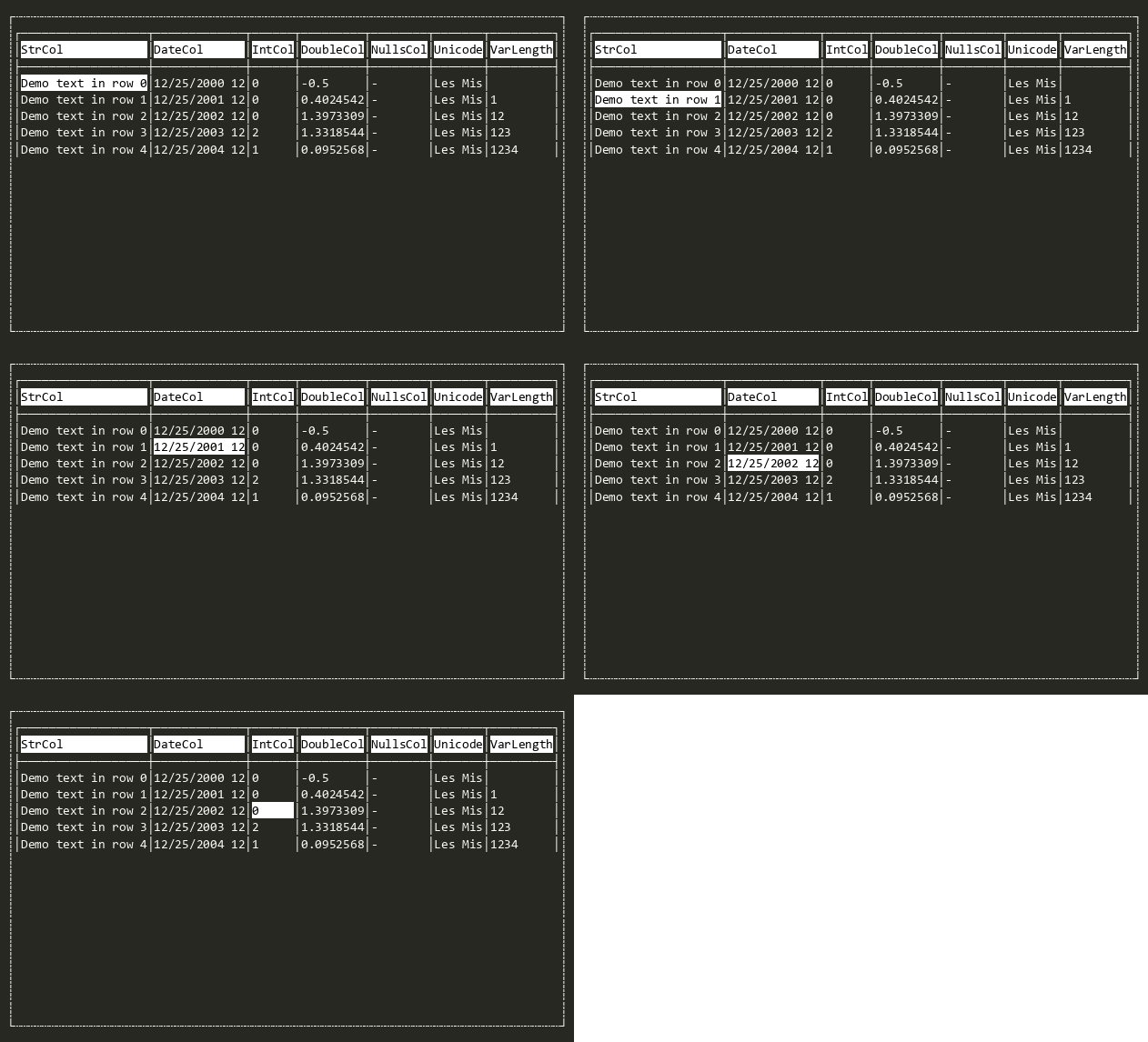
Default key bindings:
| Key | Action |
|---|---|
| Left / Right | Moves one column left or right. |
| Up / Down | Moves one row up or down. |
| PageUp / PageDown | Moves one page up or down. |
| Home / End | Moves to the first or last column. |
| Ctrl+Home / Ctrl+End | Moves to the first or last row. |
| Shift+<movement> | Extends the selection in the given direction. |
| Ctrl+A | Selects all cells. |
Default mouse bindings:
| Mouse Event | Action |
|---|---|
| Click | Activates the clicked cell (Activate). |
Constructors
- TableView()
Initializes a TableView class. Set the Table property to begin editing
- TableView(ITableSource)
Initializes a TableView class.
Fields
- DEFAULT_MAX_CELL_WIDTH
The default maximum cell width for MaxCellWidth and MaxWidth
- DEFAULT_MIN_ACCEPTABLE_WIDTH
The default minimum cell width for MinAcceptableWidth
Properties
- CollectionNavigator
Navigator for cycling the selected row in the table by typing. Set to null to disable type-to-search navigation; printable keys not otherwise bound will then bubble through normal key handling instead of being consumed for incremental row navigation.
- ColumnOffset
Horizontal scroll offset. The index of the first column in Table to display when rendering the view.
- DefaultKeyBindings
Gets or sets the default key bindings for TableView. All standard navigation and selection-extend bindings are inherited from DefaultKeyBindings, so this dictionary is empty by default.
IMPORTANT: This is a process-wide static property. Change with care. Do not set in parallelizable unit tests.
- FullRowSelect
True to select the entire row at once. False to select individual cells. Defaults to false.
- MaxCellWidth
The maximum number of characters to render in any given column. This prevents one long column from pushing out all the others
- MinCellWidth
The minimum number of characters to render in any given column.
- MultiSelect
True to allow multi-cell region selections. Defaults to true.
- MultiSelectedRegions
When MultiSelect is enabled, contains all rectangles of selected cells. Rectangles describe column/row regions selected in Table (not screen coordinates). Use Value to read the current selection state (cursor + regions).
- NullSymbol
The text representation that should be rendered for cells with the value Value
- RowOffset
Vertical scroll offset. The index of the first row in Table to display in the first non header line of the control when rendering the view.
- SeparatorSymbol
The symbol to add after each cell value and header value to visually separate values (if not using vertical gridlines)
- Style
Contains options for changing how the table is rendered
- Table
The data table to render in the view. Setting this property automatically updates and redraws the control.
- UseAllRowsForContentCalculation
Gets or sets whether all rows should be used when calculating content size. When false, only visible rows are used for column width calculations.
- Value
Gets or sets the value.
Methods
- BuildDemoDataTable(int, int)
Generates a new demo DataTable with the given number of
cols(min 5) androws
- CurrentHeaderHeightVisible()
Calculates the current header height based on what is visible. This respects the viewport Y position and the AlwaysShowHeaders style.
- EnsureCursorIsVisible()
Updates scroll offsets to ensure that the cursor cell is visible. Has no effect if Table has not been set.
- EnsureValidScrollOffsets()
Updates ColumnOffset and RowOffset where they are outside the bounds of the table (by adjusting them to the nearest existing cell). Has no effect if Table has not been set.
- EnsureValidSelection()
Updates the cursor position, the MultiSelectedRegions, and Value to ensure they are within the bounds of the table (by adjusting them to the nearest existing cell). Has no effect if Table has not been set.
- GetAllSelectedCells()
Returns all cells in any MultiSelectedRegions (if MultiSelect is enabled) and the cursor cell.
- IsSelected(int, int)
Returns true if the given cell is selected either because it is the cursor cell or part of a multi cell selection (e.g. FullRowSelect).
Returns false if Visible is false.
- MaxViewPort()
Gets the maximum top-left coordinates to which the viewport can be scrolled within the content area.
- MoveCursorByOffset(int, int, bool, ICommandContext?)
Moves the cursor by the provided offsets. Optionally starting a box selection (see MultiSelect).
- MoveCursorToEndOfRow(bool, ICommandContext?)
Moves the cursor (or extends the selection) to the last cell in the current row.
- MoveCursorToEndOfTable(bool, ICommandContext?)
Moves the cursor (or extends the selection) to the final cell in the table (nX,nY). If FullRowSelect is enabled then the cursor instead moves to (cursor.X, nY) — no horizontal scrolling.
- MoveCursorToStartOfRow(bool, ICommandContext?)
Moves the cursor (or extends the selection) to the first cell in the current row.
- MoveCursorToStartOfTable(bool, ICommandContext?)
Moves the cursor (or extends the selection) to the first cell in the table (0,0). If FullRowSelect is enabled then the cursor instead moves to (cursor.X, 0) — no horizontal scrolling.
- OnActivated(ICommandContext?)
Called when the View has been activated. This is called after Accepting has been raised and not cancelled.
- OnActivating(CommandEventArgs)
Called when the user has performed an action (e.g. Activate) causing the View to change state or preparing it for interaction. Set CommandEventArgs.Handled to true and return true to indicate the event was handled and processing should stop.
- OnDrawingContent(DrawContext?)
Called when the View's content is to be drawn. The default implementation does nothing.
- OnKeyDown(Key)
Called when the user presses a key, allowing subscribers to pre-process the key down event. Called before key bindings are invoked and KeyDownNotHandled is raised. Set Handled to true to stop the key from being processed further.
- OnKeyDownNotHandled(Key)
Called when the user has pressed key it wasn't handled by KeyDown and was not bound to a key binding.
- OnValueChanged(ValueChangedEventArgs<TableSelection?>)
Called when Value has changed.
- OnValueChanging(ValueChangingEventArgs<TableSelection?>)
Called when Value is about to change. Return true to cancel the change.
- OnViewportChanged(DrawEventArgs)
Called when the Viewport changes. Invokes the ViewportChanged event.
- PageDown(bool, ICommandContext?)
Moves the cursor down by one page.
- PageUp(bool, ICommandContext?)
Moves the cursor up by one page.
- RefreshContentSize()
Recalculates and updates the content size based on the current state.
- RenderCell(Attribute, string, bool)
Override to provide custom multi-coloring to cells. Use methods like AddStr(string). The terminal cursor will already be in the correct position when rendering. You must render the full
renderor the view will not look right. For simpler color provision use ColorGetter. For changing the content that is rendered use RepresentationGetter.
- ScreenToCell(Point, out int?)
Returns the column and row of Table that corresponds to a given point on the screen (relative to the control client area). Returns null if the point is in the header, no table is loaded or outside the control bounds.
- ScreenToCell(Point, out int?, out int?)
Returns the column and row of Table that corresponds to a given point on the screen (relative to the control client area). Returns null if the point is in the header, no table is loaded or outside the control bounds.
- ScreenToCell(int, int)
Returns the column and row of Table that corresponds to a given point on the screen (relative to the control client area). Returns null if the point is in the header, no table is loaded or outside the control bounds.
- ScreenToCell(int, int, out int?)
Returns the column and row of Table that corresponds to a given point on the screen (relative to the control client area). Returns null if the point is in the header, no table is loaded or outside the control bounds.
- ScreenToCell(int, int, out int?, out int?)
Returns the column and row of Table that corresponds to a given point on the screen (relative to the control client area). Returns null if the point is in the header, no table is loaded or outside the control bounds.
- SelectAll()
When MultiSelect is on, creates selection over all cells in the table (replacing any old selection regions)
- SetSelection(int, int, bool, ICommandContext?)
Moves the cursor to the given col/row in Table. Optionally starts a box selection (see MultiSelect).
- Update()
Updates the view to reflect changes to Table and to (ColumnOffset / RowOffset) etc.
Events
- ValueChanged
Raised when Value has changed.
- ValueChangedUntyped
Raised when Value has changed, providing the value as an un-typed object.
- ValueChanging
Raised when Value is about to change. Set Handled to true to cancel the change.