Class ScrollBar
Indicates the size of scrollable content and controls the position of the visible content, either vertically or horizontally. Two Buttons are provided, one to scroll up or left and one to scroll down or right. Between the buttons is a ScrollSlider that can be dragged to control the position of the visible content. The ScrollSlier is sized to show the proportion of the scrollable content to the size of the Viewport.
public class ScrollBar : View, IDisposable, ISupportInitializeNotification, ISupportInitialize, IOrientation, IDesignable, IValue<int>, IValue- Inheritance
-
ScrollBar
- Implements
- Inherited Members
- Extension Methods
Remarks
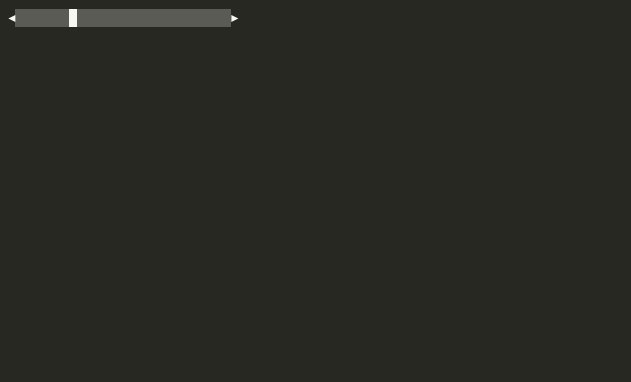
See the Scrolling Deep Dive.
By default, the built-in View scrollbars (VerticalScrollBar/ HorizontalScrollBar) have Visible set to false and VisibilityMode set to Manual. To enable them, use HasVerticalScrollBar or HasHorizontalScrollBar flags on the owning View's ViewportSettings.
By default, this view cannot be focused and does not support keyboard input.
Constructors
- ScrollBar()
Initializes a new instance of View.
Properties
- Increment
Gets or sets the amount each mouse wheel event, or click on the increment/decrement buttons, will incremenet/decrement the Value.
- Orientation
Gets or sets the orientation of the View.
- ScrollableContentSize
Gets or sets the size of the content that can be scrolled. This is typically set to GetContentSize().
- Slider
Gets the ScrollSlider used by this ScrollBar.
- Value
Gets or sets the scroll position relative to ScrollableContentSize.
- VisibilityMode
Gets or sets how this ScrollBar manages its own Visible state.
- VisibleContentSize
Gets or sets the size of the visible viewport into the content being scrolled, bounded by ScrollableContentSize.
Methods
- EnableForDesign()
Causes the View to enable design-time mode. This typically means that the view will load demo data and be configured to allow for design-time manipulation.
- GetDemoKeyStrokes()
Returns a tuirec-format keystroke string for recording a demo GIF of this view. The string uses tuirec token syntax (e.g.
"wait:500,Enter,wait:800,Escape"). This is a new API added in v2 to support automated documentation generation.
- GetSliderPosition()
Gets or sets the position of the start of the Scroll slider, within the Viewport.
- OnActivating(CommandEventArgs)
Called when the user has performed an action (e.g. Activate) causing the View to change state or preparing it for interaction. Set CommandEventArgs.Handled to true and return true to indicate the event was handled and processing should stop.
- OnClearingViewport()
Called when the Viewport is to be cleared.
- OnFrameChanged(in Rectangle)
Called when Frame changes.
- OnMouseEvent(Mouse)
Called when a mouse event occurs within the view's Viewport.
- OnOrientationChanged(Orientation)
Called when Orientation has been changed.
- OnScrolled(int)
Called when Value has changed. Indicates how much to scroll.
- OnSizeChanged(int)
Called when ScrollableContentSize has changed.
- OnSliderPositionChanged(int)
Called when the slider position has changed.
- OnValueChanged(ValueChangedEventArgs<int>)
Called when Value has changed.
- OnValueChanging(ValueChangingEventArgs<int>)
Called when Value is changing. Return true to cancel the change.
Events
- OrientationChanged
Raised when Orientation has changed.
- OrientationChanging
Raised when Orientation is changing. Can be cancelled.
- ScrollableContentSizeChanged
Raised when ScrollableContentSize has changed.
- SliderPositionChanged
Raised when the slider position has changed.
- ValueChanged
Raised when Value has changed.
- ValueChangedUntyped
Raised when Value has changed, providing the value as an un-typed object.
- ValueChanging
Raised when Value is about to change. Set Handled to true to cancel the change.