Class Prompt<TView, TResult>
A dialog that wraps any View with Ok/Cancel buttons, extracting a typed result when the user accepts.
public class Prompt<TView, TResult> : Dialog<TResult>, IDisposable, ISupportInitializeNotification, ISupportInitialize, IRunnable<TResult>, IRunnable, IDesignable where TView : View, new()Type Parameters
TViewThe type of view being wrapped.
TResultThe type of result data returned when the session completes.
Important: Use nullable types (e.g.,
Color?,int?,string?) so that null can indicate cancellation. Using non-nullable value types (e.g.,Color,int) will return their default values on cancellation, making it impossible to distinguish cancellation from a valid result.
- Implements
-
IRunnable<TResult>
- Inherited Members
- Extension Methods
Examples
// Create a prompt dialog with a DatePicker
DatePicker datePicker = new () { Date = new DateTime (1966, 9, 10) };
Prompt<DatePicker, DateTime> prompt = new (datePicker)
{
    Title = "Select Date",
    ResultExtractor = dp => dp.Date
};

if (app.Run (prompt) is DateTime selectedDate)
{
    MessageBox.Query ("Success", $"You selected: {selectedDate:yyyy-MM-dd}", Strings.btnOk);
}
Remarks
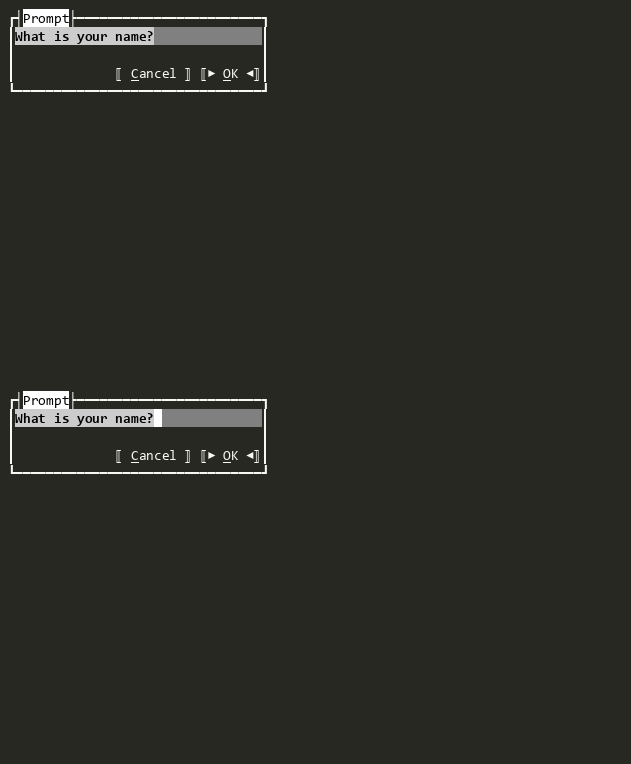
This class provides a convenient way to prompt the user with any view and get a typed result. The wrapped view is displayed in the dialog, and when the user clicks Ok (or presses Enter), the ResultExtractor function is called to extract the result from the view.
If the user cancels (clicks Cancel, presses Escape, or closes the dialog), Result remains null.
Use the Prompt<TView, TResult>(IRunnable, TView?, Func<TView, TResult?>?, TResult?, Action<Prompt<TView, TResult>>?) extension method for a more convenient API.
For detailed usage patterns, customization options, and PowerShell examples, see the Prompt Deep Dive.
Constructors
- Prompt()
Initializes a new instance of Prompt<TView, TResult> with a new instance of the View.
- Prompt(TView?)
Initializes a new instance of Prompt<TView, TResult> with a specified instance of the View.
Properties
- ResultExtractor
Gets or sets the function that extracts the result from the wrapped view.
Methods
- GetWrappedView()
Gets the wrapped view that is displayed in the dialog.
- OnAccepted(ICommandContext?)
Called when the View has been accepted. This is called after Accepting has been raised and not cancelled.