Class ListView
Provides a scrollable list of data where each item can be activated to perform an action.
public class ListView : View, IDisposable, ISupportInitializeNotification, ISupportInitialize, IDesignable, IValue<int?>, IValue- Inheritance
-
ListView
- Implements
- Derived
- Inherited Members
- Extension Methods
Remarks
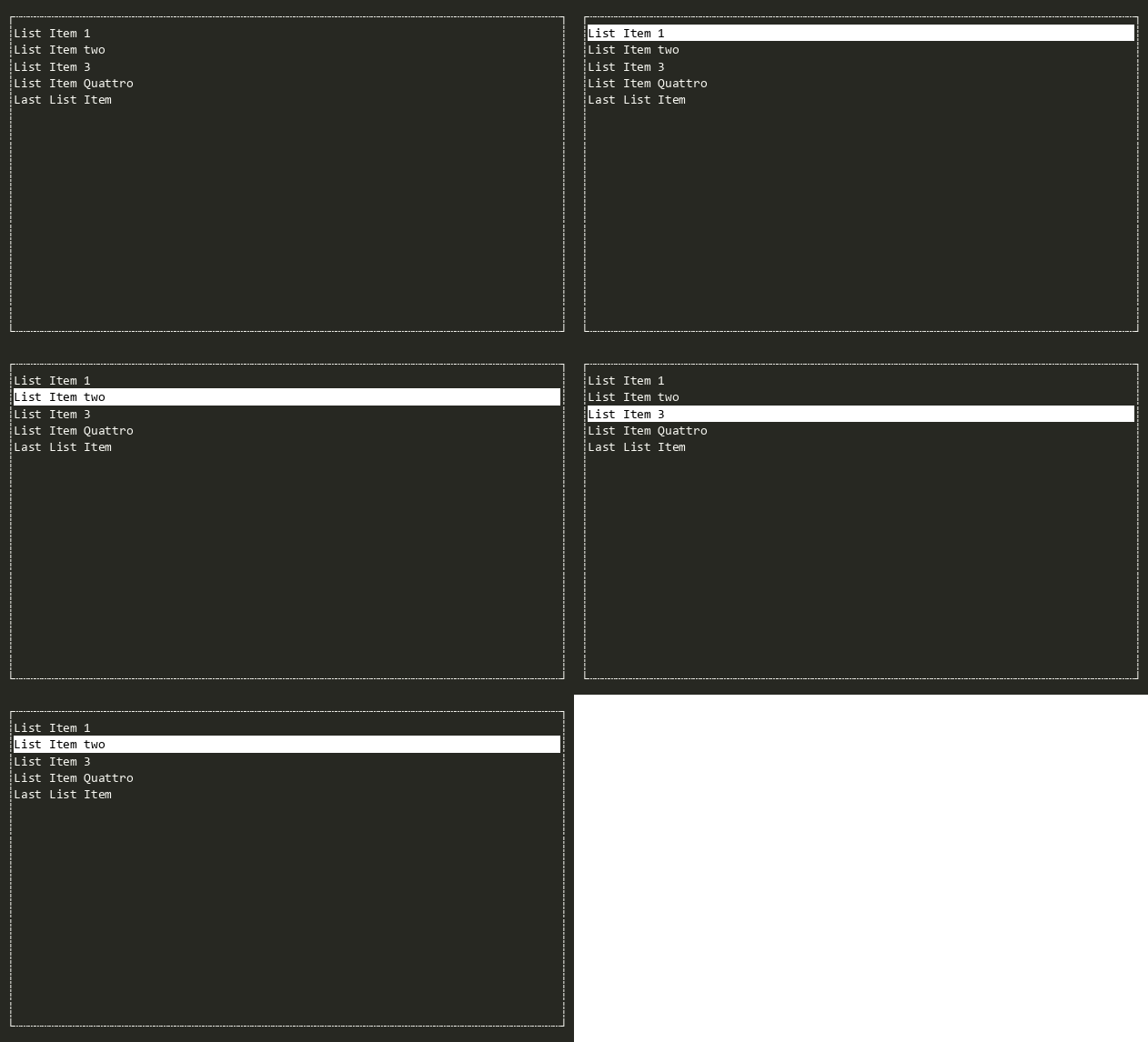
The ListView displays lists of data and allows the user to scroll through the data. Items in the can be activated firing an event (with the ENTER key or a mouse double-click). If the ShowMarks property is true, elements of the list can be marked by the user.
By default ListView uses ToString() to render the items of any ObservableCollection<T> object (e.g. arrays, List<T>, and other collections). Alternatively, an object that implements IListDataSource can be provided giving full control of what is rendered.
ListView can display any object that implements the IList interface. string values are converted into string values before rendering, and other values are converted into string by calling ToString() and then converting to string .
To change the contents of the ListView, set the Source property (when providing custom rendering via IListDataSource) or call SetSource<T>(ObservableCollection<T>?) an IList is being used.
When ShowMarks is set to true the rendering will prefix the rendered items with [x] or [ ] and bind the SPACE key to toggle the selection. To implement a different marking style set ShowMarks to false and implement custom rendering.
Searching the ListView with the keyboard is supported. Users type the first characters of an item, and the first item that starts with what the user types will be selected.
Default key bindings:
| Key | Action |
|---|---|
| Up, Ctrl+P | Moves up one item. |
| Down, Ctrl+N | Moves down one item. |
| PageUp / PageDown | Moves one page up or down. |
| Home / End | Moves to the first or last item. |
| Shift+<movement> | Extends the selection in the given direction. |
| Ctrl+A | Selects all items. |
| Ctrl+U | Deselects all items. |
Default mouse bindings:
| Mouse Event | Action |
|---|---|
| Click | Activates (selects) the clicked item. |
| Double-Click | Accepts the clicked item (Accept). |
| Wheel Up / Down | Scrolls the list. |
Constructors
- ListView()
Initializes a new instance of ListView. Set the Source property to display something.
Properties
- DefaultKeyBindings
Gets or sets the default key bindings for ListView. These are layered on top of DefaultKeyBindings when the view is created.
IMPORTANT: This is a process-wide static property. Change with care. Do not set in parallelizable unit tests.
- KeystrokeNavigator
Gets or sets the Terminal.Gui.Views.CollectionNavigator that searches the Source collection as the user types. The default implementation is a Terminal.Gui.Views.CollectionNavigator that uses the string representation of the items in the collection. Set to null to disable keystroke navigation.
- MarkMultiple
Gets or sets whether multiple items can be marked simultaneously.
- MaxItemLength
Use MaxItemLength to get the maximum item length. Note that the behavior is dependent on the data source.
- SelectedItem
This is a convenience property that is an alias for Value. Get or set the index of the currently selected item.
- ShowMarks
Gets or sets whether mark glyphs (checkboxes/radio buttons) are visually displayed.
- Source
Gets or sets the IListDataSource backing this ListView, enabling custom rendering.
- Value
Gets or sets the index of the currently selected item.
Methods
- Dispose(bool)
Performs application-defined tasks associated with freeing, releasing, or resetting unmanaged resources.
- EnableForDesign()
Causes the View to enable design-time mode. This typically means that the view will load demo data and be configured to allow for design-time manipulation.
- EnsureSelectedItemVisible()
Ensures the selected item is always visible on the screen.
- GetAllMarkedItems()
Gets all marked item indices from the data source.
- GetDemoKeyStrokes()
Returns a tuirec-format keystroke string for recording a demo GIF of this view. The string uses tuirec token syntax (e.g.
"wait:500,Enter,wait:800,Escape"). This is a new API added in v2 to support automated documentation generation.
- IsSelectedOrMarked(int)
Returns true if the specified item is selected (is the SelectedItem) or marked (via IsMarked(int)).
- MarkAll(bool)
If MarkMultiple is true, marks or unmarks all items.
- MarkUnmarkSelectedItem()
Marks the SelectedItem if it is not already marked.
- MoveDown(bool)
Changes the SelectedItem to the next item in the list, scrolling the list if needed.
- MoveEnd(bool)
Changes the SelectedItem to last item in the list, scrolling the list if needed.
- MoveHome(bool)
Changes the SelectedItem to the first item in the list, scrolling the list if needed.
- MovePageDown(bool)
Changes the SelectedItem to the item just below the bottom of the visible list, scrolling if needed.
- MovePageUp(bool)
Changes the SelectedItem to the item at the top of the visible list.
- MoveUp(bool)
Changes the SelectedItem to the previous item in the list, scrolling the list if needed.
- OnActivated(ICommandContext?)
Called when the View has been activated. This is called after Accepting has been raised and not cancelled.
- OnCollectionChanged(NotifyCollectionChangedEventArgs)
Call the event to raises the CollectionChanged.
- OnDrawingContent(DrawContext?)
Called when the View's content is to be drawn. The default implementation does nothing.
- OnFrameChanged(in Rectangle)
Called when Frame changes.
- OnHasFocusChanged(bool, View?, View?)
Invoked after HasFocus has changed. This method is called before the HasFocusChanged event is raised.
- OnHotKeyCommand(ICommandContext?)
Called when the View's HotKey is pressed, if the event was not handled by OnHandlingHotKey(CommandEventArgs) or the HandlingHotKey event.
- OnKeyDown(Key)
Called when the user presses a key, allowing subscribers to pre-process the key down event. Called before key bindings are invoked and KeyDownNotHandled is raised. Set Handled to true to stop the key from being processed further.
- OnRowRender(ListViewRowEventArgs)
Virtual method that will invoke the RowRender.
- OnSourceChanged()
Called when the Source property is changed. Invokes the SourceChanged event.
- OnValueChanged(ValueChangedEventArgs<int?>)
Called when the ListView Value/SelectedItem has changed.
- OnValueChanging(ValueChangingEventArgs<int?>)
Called when the ListView Value/SelectedItem is changing.
- OnViewportChanged(DrawEventArgs)
Called when the Viewport changes. Invokes the ViewportChanged event.
- ResumeSuspendCollectionChangedEvent()
Allow resume the CollectionChanged event from being invoked,
- SetSelection(int, bool)
Sets the selected item, optionally extending marking to create a range.
- SetSourceAsync<T>(ObservableCollection<T>?)
Sets the source to an IList value asynchronously.
- SuspendCollectionChangedEvent()
Allow suspending the CollectionChanged event from being invoked,
- UnmarkAll()
Clears all marks in the data source.
- UnmarkAllButSelected()
If marking is enabled (ShowMarks OR MarkMultiple) and MarkMultiple is false, unmarks all marked items other than SelectedItem.
Events
- CollectionChanged
Event to raise when an item is added, removed, or moved, or the entire list is refreshed.
- SourceChanged
Event to raise when the Source data is changed.
- ValueChanged
Raised when Value has changed.
- ValueChangedUntyped
Raised when Value has changed, providing the value as an un-typed object.
- ValueChanging
Raised when the ListView Value/SelectedItem is changing.